With a Fox ESS battery or hybrid inverter we can set it to charge up the house batteries on a cheap power tariff, usually overnight, and then use that cheap electricity to power the house during the day.
Setting TOU Charging on Fox ESS Cloud
1. While logged into the Fox online interface, FoxESSCloud.com, select Inverter under the Device menu on the left hand side. Click on the Inverter SN to get to the Inverter Details view:
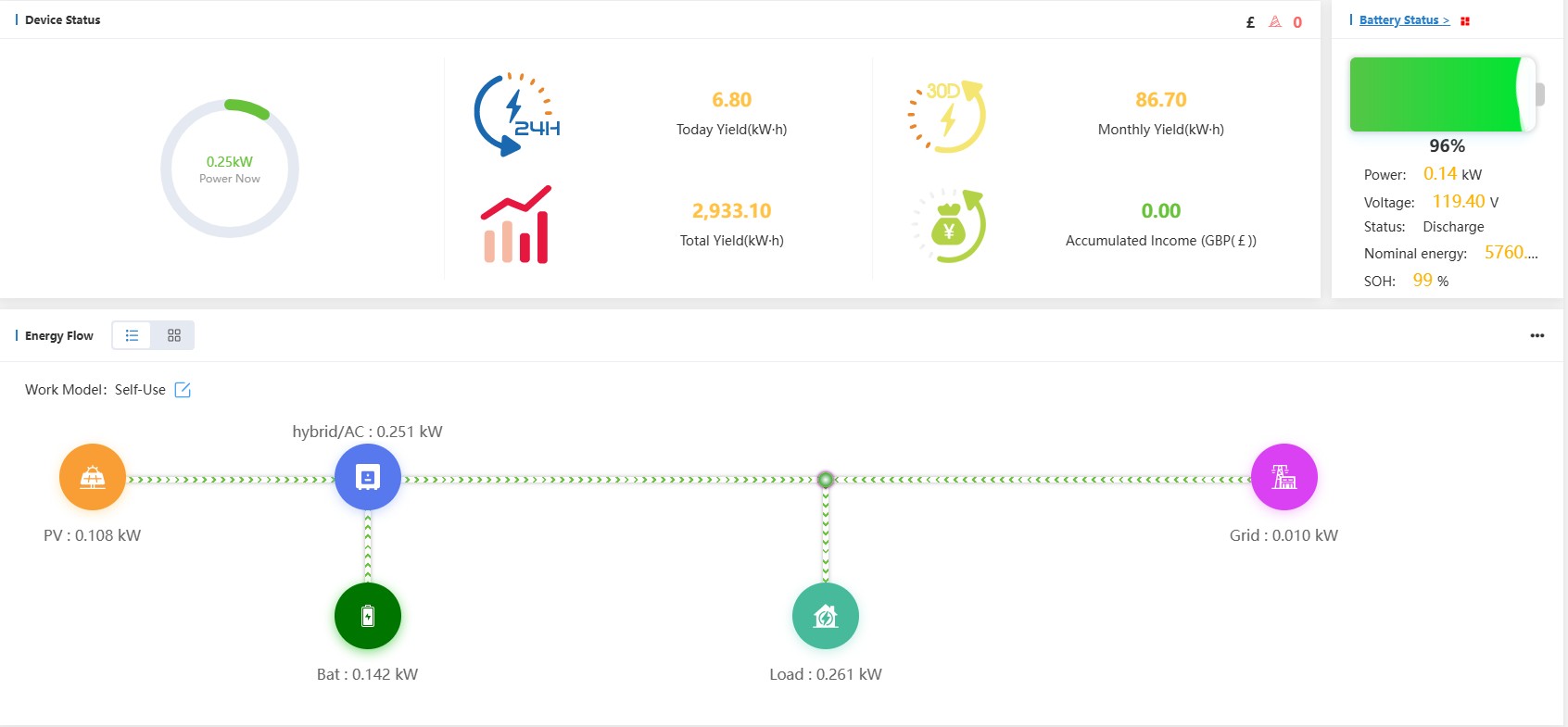
Fox Inverter Details View (Image: Tanjent)
2. On the Inverter Details page, in the Battery Status section, there is a small square red button for battery settings. Click on this to bring up a small settings dialog box (with the button showing in the background top right):
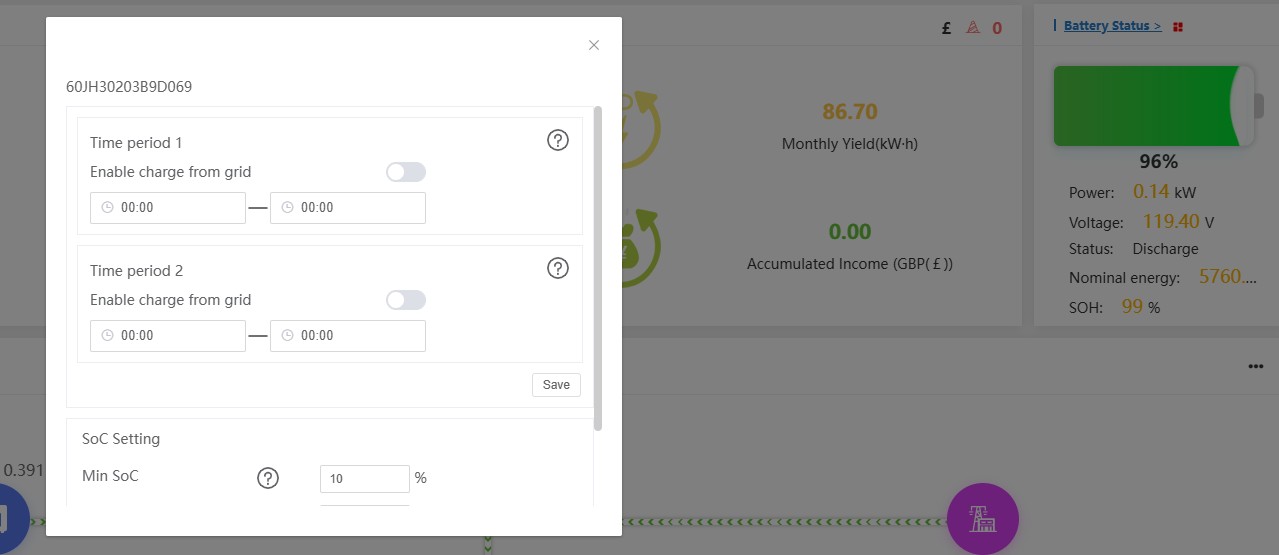
Fox Battery Settings Dialog (Image: Tanjent)
3. Here you enter the start and stop times for your overnight charge, make sure the Enable charge from grid button is set, then press Save. You can have two different Time Periods set. Here is an example with Time period 1 set for charging from 0100 to 0530:
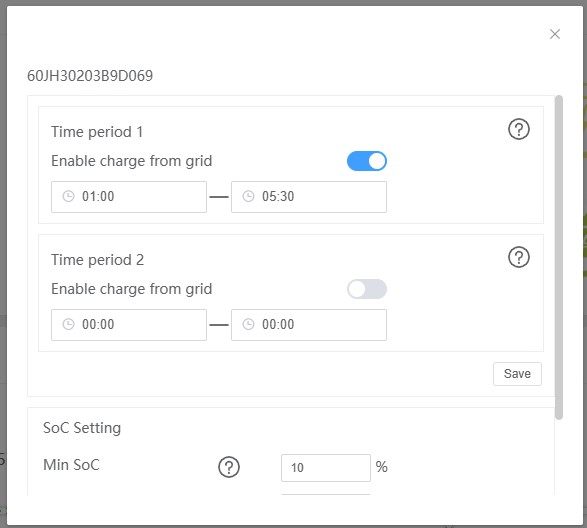
Fox Charging Time period 1 set (Image: Tanjent)
4. On pressing Save you should get a ‘Success’ message. Then just close the dialog by clicking on the X in the top right corner.